> ## Documentation Index
> Fetch the complete documentation index at: https://wl.macaly.com/docs/llms.txt
> Use this file to discover all available pages before exploring further.
# Changelog
> Stay up to date with new Macaly features and improvements
## New features
### **Make your site easier for everyone to use**
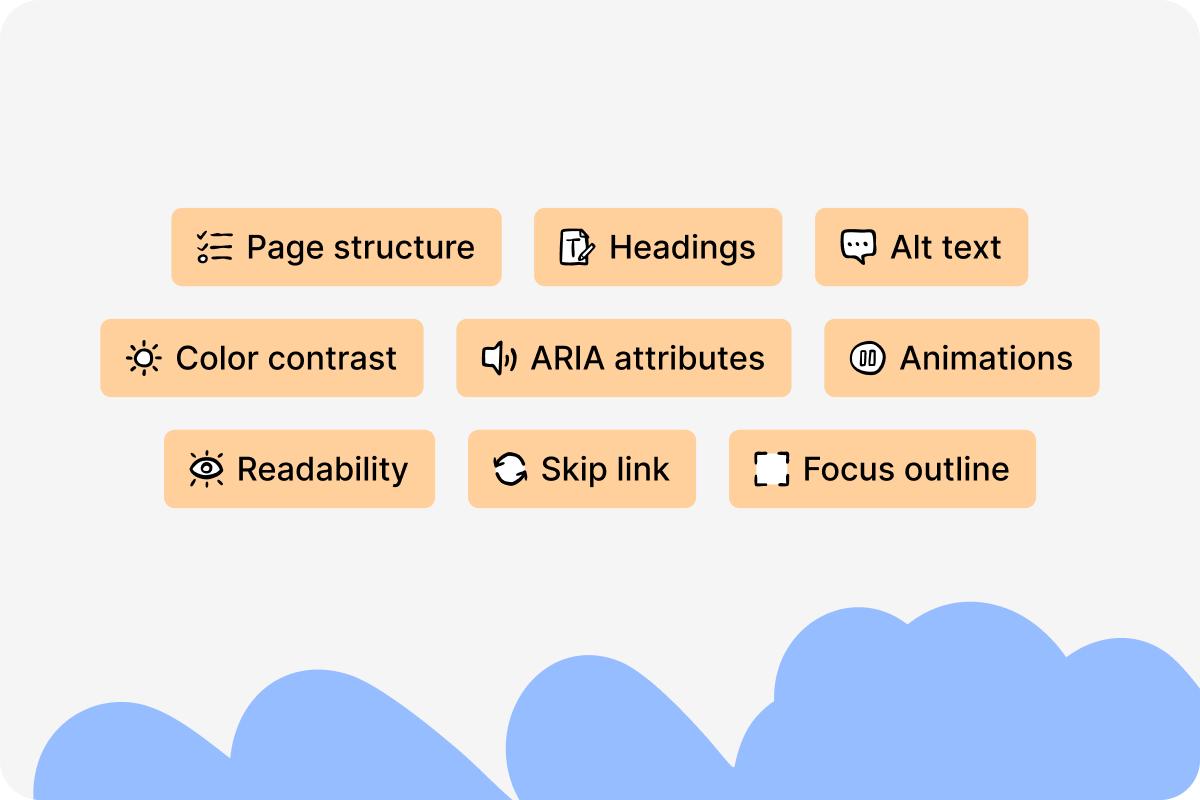
Want your site to work for everyone, including people who use only a keyboard or a screen reader? Ask the agent to check your site's accessibility. It tests your key pages, fixes issues such as hard-to-read text, form fields without labels or images without descriptions, and tells you in plain language what it fixed.
 ### **Pick up where the agent left off**
Not sure what to build next? When the agent finishes a change, you now see a few suggested next steps above the message box. Click one to edit and send it, or turn suggestions off in Settings under Preferences.
## Improvements
- Claude Haiku 5.5 is now in the [model picker](/docs/en/agent/models), a fast and affordable choice for quick edits
- The agent now replies in the language you write in, even when your interface is in English
- You can attach photos straight from your iPhone (HEIC and HEIF), with no need to convert them first
- Your [custom domains](/docs/en/features/domains) now show their SSL certificate status, and you can retry a stuck certificate yourself
## Bug fixes
- For a few days, the first publish of a new project often failed. Publishing now works on the first try
- Messages you queued didn't send when the agent's reply ended with a Publish offer. They now send as expected
- The SEO audit reported a missing title on pages that have one. It now reads the title correctly
- With a low credit balance, the agent sometimes refused to start a task you had enough credits for. It now starts the task
## New features
### **Let the agent set up your cookie banner and privacy policy**
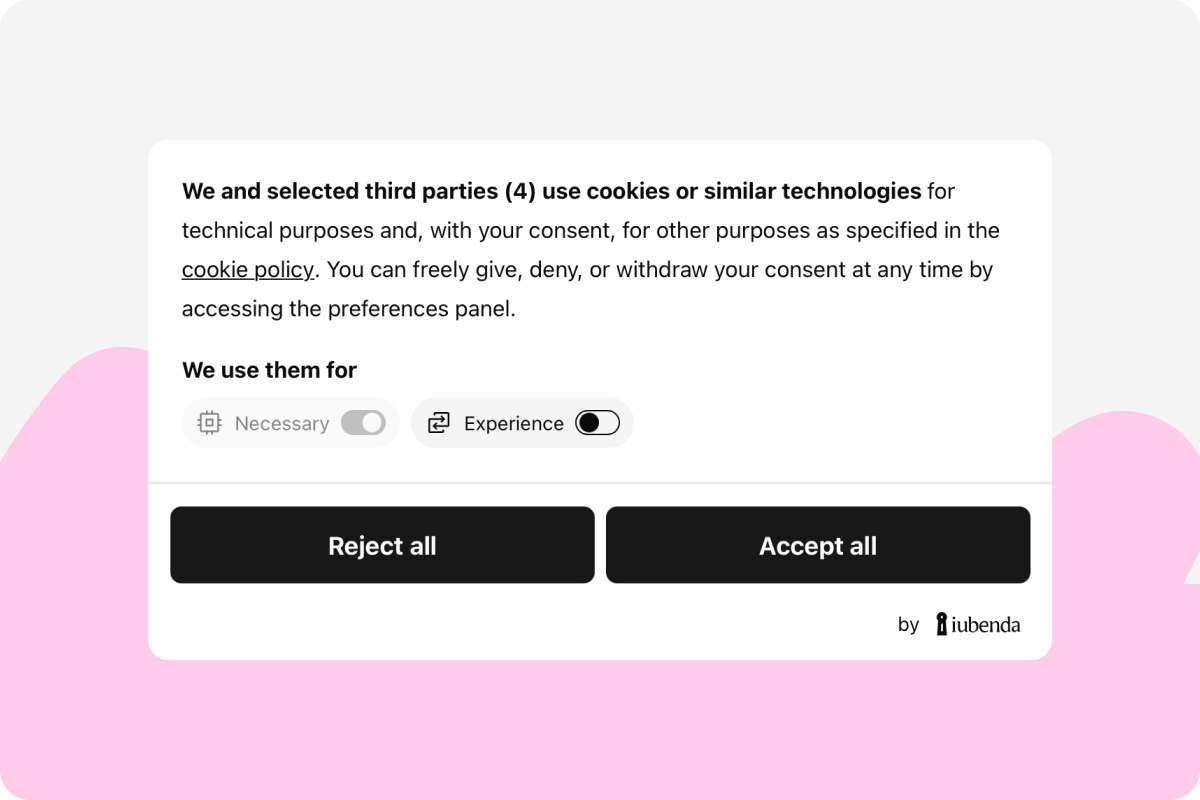
Collecting visitor data through analytics, payments, or embedded videos? You can now ask the agent to add a cookie banner and a privacy policy to your site. Powered by [Iubenda](/docs/en/integrations/iubenda), both are tailored to the services your site actually uses, and the banner matches your design. Tracking scripts only run once a visitor gives consent.
 ### **Go live with everything in view**
Before you publish, you now see everything in one place: your project's address, its access settings, and the results of the security, database, payments, and SEO checks. You can also unpublish your project from the same dialog.
### **The latest models from OpenAI and Anthropic are now available**
Macaly now offers the newest models from OpenAI (GPT-6.1 Sol and GPT-6 Luna) and Anthropic (Claude Sonnet 5.5 and Claude Opus 5.5). Pick a model for a specific project, or set one as the default for your whole account.
## Improvements
- The Macaly interface is now available in Brazilian Portuguese
- Agent actions in the chat now appear in your interface language
- Your project overview on the home page is easier to browse on your phone
- The dialog you see when sharing a project has a fresh look and works better on mobile
- We now protect projects from a known vulnerability in the TanStack framework. If your project is affected, the agent proposes an update and holds off publishing until the issue is fixed
## Bug fixes
- When you tried to stop the agent mid-task, the Stop button sometimes didn't respond right away. The agent now stops immediately
- Fixed an issue that made the editor crash when your browser automatically translated the page
- In some cases, the preview kept restarting even when nothing had changed. It now stays up for as long as you work
- After switching between the Live and Testing database, the preview could show an outdated version. It now rebuilds automatically
- Projects with a large number of files sometimes failed to open with an error. They now load reliably
## New features
### **Bring your project over from Lovable**
Started a project in Lovable and want to continue in Macaly? Export the code and database from Lovable and upload them with the Import from Lovable option next to the message box. Macaly turns them into a new project you can keep working on right away.
 ### **Improved visual edits**
Want to swap two cards or add more space under a heading? In [visual edits](/docs/en/features/visual-edits), you can now move an element to a new spot and adjust its spacing by dragging its bottom edge. The panel is also clearer, with basic and advanced options better organized.
### **Let AI sort and score content in your app**
Your app can now sort, score, or match text content by what it means. It can route customer questions to the right team, tag reviews by topic, or rank leads by how relevant they are to you. Tell the agent what your app should sort, and it uses the new [AI Classification](/docs/en/agent/skills/build#ai-classification) skill.
## Improvements
- In the chat, you can now place files right in your message text, where you mention them. On desktop, hover over a file to see a preview
- When something works in the preview but not on your published site, the agent checks the error logs and finds the cause faster
## Bug fixes
- Downloaded source code was sometimes saved as a broken ZIP file. Downloads now complete correctly
- Fixed an issue that made the toolbar disappear in the editor and in shared previews
- Saving visual edits could lose your unsaved changes. All your changes now stay exactly as you made them
## New features
### **Protect your site with a password**
When your published site is meant only for a client or your team, you can now lock it with a password straight from your project settings. Visitors don't even need a Macaly account.
### **Try out ideas in a separate version of your project**
Want to experiment with new features or a new design on your site? Macaly now lets you create variants of your project, each with its own chat. If you like how the changes turn out, publish the variant over your current version, or go back to the original at any time.
### **Use your app from Claude or ChatGPT**
Macaly can now turn your app into an [MCP server](/docs/en/features/app-mcp) that Claude, ChatGPT, and other agents can connect to. You can ask your AI assistant to create a new user account or mark an order as shipped, without using your app at all.
## Improvements
- The Macaly interface is now available in Danish, Finnish, Slovak, Hungarian, Swedish, and Greek
- If you use Macaly through WhatsApp, you can now see when the agent is working on your task
- Images you generate in Macaly can now have a transparent background, which is useful for logos and icons. The agent also keeps the aspect ratio you ask for, like 16:9 for a banner
- Macaly can now process YouTube videos that run for several hours. Paste a link to a full webinar or podcast and the agent can turn it into a blog post
## Bug fixes
- Projects you had not opened for a while could open with an older version of your files. Your latest changes now stay exactly as you left them
- Connecting Macaly to your Telegram account sometimes got stuck on "Waiting for your connection". That's fixed, and commands like `/help` work again
- When you come back to Macaly in your phone's browser, you no longer see a "session expired" error
## New features
### **Visual edits, redesigned**
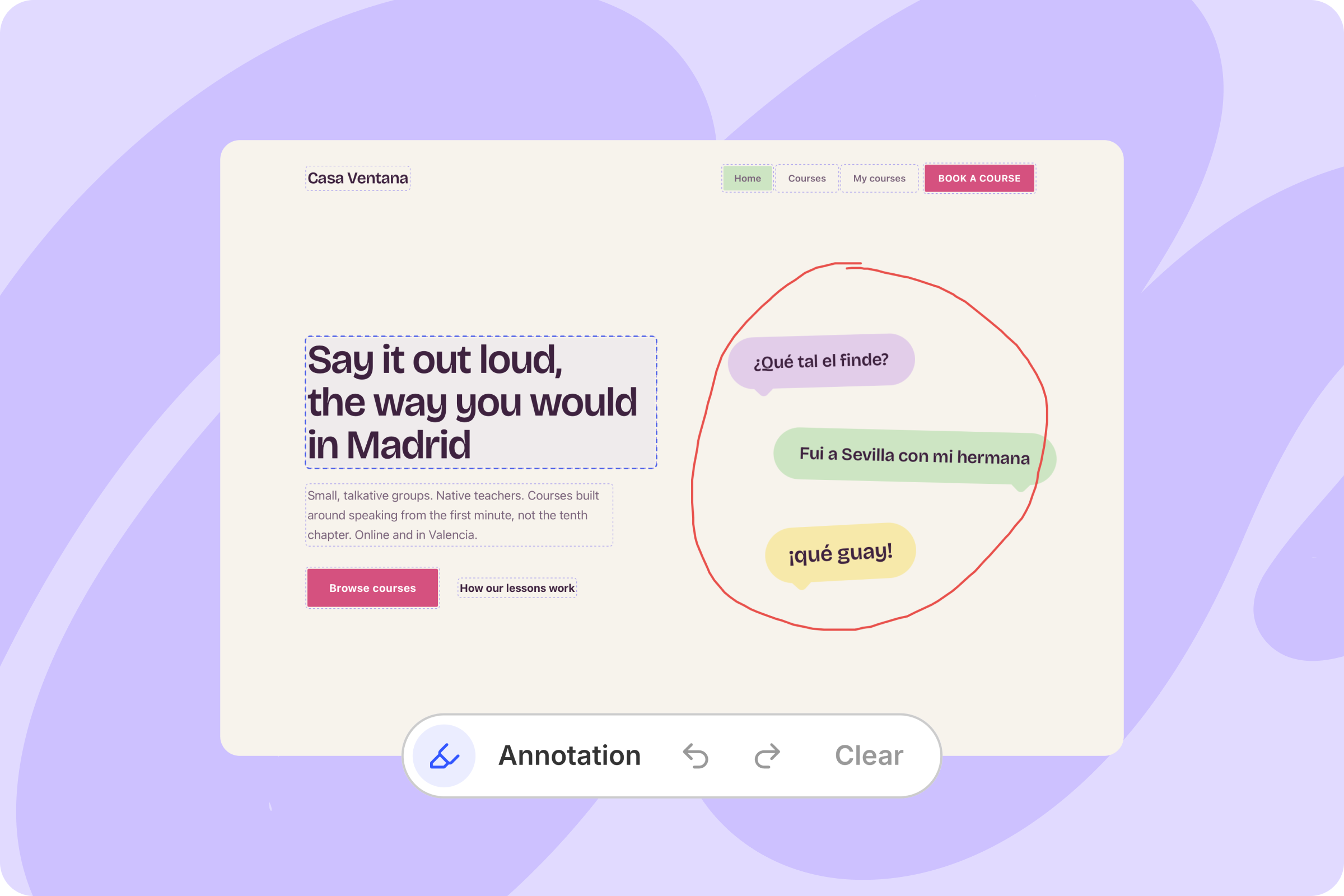
Adjust styles, swap images, and rewrite text directly in the live preview. When something is easier to show than to describe, sketch it onto the exact spot you mean. Most edits apply instantly and cost no credits.
 ### **Clients can comment right inside your project**
Your clients can now leave feedback as comments directly in the preview of the project you're working on. Reply in the thread, or pass the comment to the agent and it takes care of the requested changes.
## Improvements
- Images, videos, audio, and text files all open in a preview inside Macaly
- The media library has a new "App user uploads" tab for files uploaded by users of your apps
- Image edits can now use other images as references
- GLM 5.3 and GLM 5.3 Flash are now available as EU-hosted models
## Bug fixes
- Fixed a bug that made new chats slow to start
- Chats with a large number of tool calls no longer crash the page
- Dates on the GitHub import and domain settings screens now show in the right language
- The agent now sees every action an integration offers, so no action comes back as unsupported
## New features
### **A new audit checks your app's security**
Before you publish, Macaly helps you review your project's security. The new [security audit](/docs/en/features/security) checks how your app handles sensitive data, how sign-in works, and where passwords and API keys are stored. The agent fixes any issues right there. The first check in every project is free, including the fixes that follow.
 ## Improvements
- Each project now shows how much database space it takes up and how many backend API calls it makes
- Duplicated projects now have their own database by default, and any project that shares a database with others is labeled as such, with links to the chats involved
- The agent now defaults to replying in the language your Macaly interface is set to
- The Macaly interface is now available in German, Portuguese, and Spanish
## Bug fixes
- Chats running Grok 4.5 no longer break when a small image or a GIF appears in the conversation
- Chats with a very long history now open without an error message
- Duplicating a project succeeds even when some of its dependencies fail to install
- Opening a preview in a new tab no longer fails with an Unauthorized error
## New features
### **Build with Macaly from Telegram**
Build, edit, and publish your Macaly projects from Telegram, now alongside WhatsApp. Add the Macaly agent to your contacts and send it a message, voice note, or image with your request. The agent finds your project, makes the changes, and sends back a link with a preview.
Check out the [documentation](/docs/en/account/connections/telegram) to see exactly how it works.
 ### **GPT-5.6 Sol and Terra are now available**
Try OpenAI's newest models right inside Macaly. In our benchmarks, GPT-5.6 Terra runs faster and cheaper than comparable models from Anthropic. Reach for GPT-5.6 Sol when a task is more complex or demanding.
## Improvements
- New projects load up to twice as fast, and the agent responds quicker inside existing chats too
- The Macaly interface is now available in Italian
## Bug fixes
- Refreshing a project page right after sending a chat message no longer leaves a copy of your message in the input
- If your internet drops while the agent is responding, the chat reconnects instead of cutting the answer off halfway
- Viewing older versions of your app no longer shows the latest version by mistake
## New features
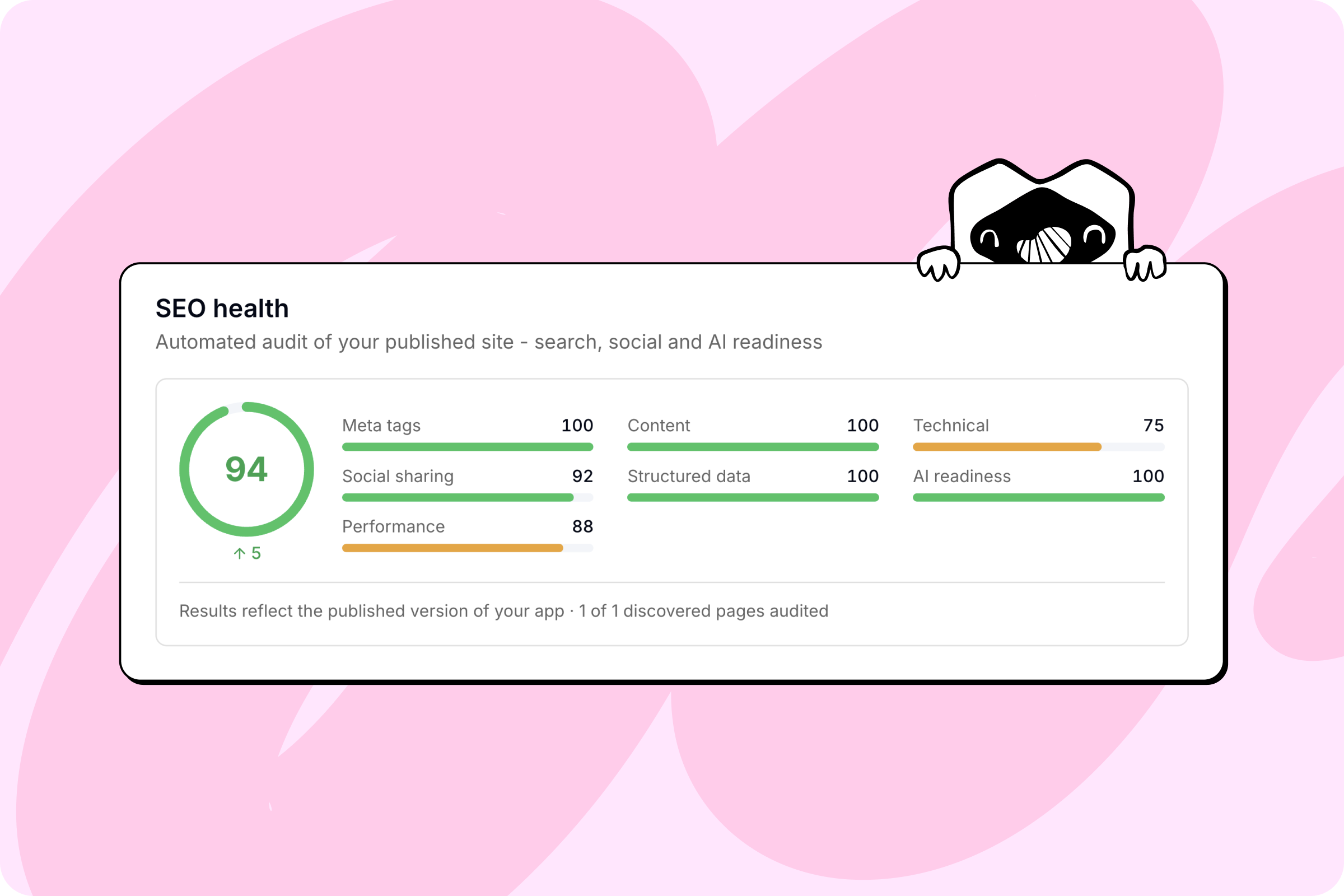
### **A new SEO audit checks your site and suggests fixes**
We rebuilt the SEO tab from the ground up. Every time you publish, an SEO audit runs automatically and checks how search engines and AI assistants see your site. If something needs fixing, the agent handles it.
 ### **Message the agent while it's still working**
Thought of something after the agent got started? Send a follow-up and it gets folded into the current job, so you don't have to wait for the previous task to finish. You can also break your idea into a few shorter messages and the agent answers them all at once.
### **Roll back to an earlier version**
Something went sideways? You can now browse every earlier version of your project straight from the chat, see it in live preview, and restore it in one click.
## Improvements
- Copy any chat message in one click, whether it's the agent's reply or your own
- Settings → Usage & Limits now shows detailed database usage, including storage and API calls
- The Macaly interface is now available in Bulgarian
## Bug fixes
- Running `/clear` no longer hides your project's live preview
- Publishing a project with large images no longer fails midway
- Long agent tasks no longer stop early when the model takes a moment to respond
## New features
### **Claude Sonnet 5 is now available**
The agent now runs on Claude Sonnet 5, the latest model from Anthropic. In our benchmarks it makes fewer mistakes and has a better eye for design. The new model is already live in all your chats.
 ## New features
### **Pull data from anywhere on the web**
Most of the content you need for a new site already lives somewhere online. Now Macaly can go get it and build it in for you.
We've partnered with Apify, the world's largest marketplace of web data tools, with 40,000+ ready-made tools covering everything from Google Maps to LinkedIn to Airbnb.
Just tell the agent where your content lives, and it pulls the details, photos, and reviews and turns them into a website, dashboard, or app.
For the full details, see our [Apify integration guide](/docs/en/integrations/apify).
 ## New features
### **Accept real payments in your projects**
Macaly now comes with Stripe built in, so your projects can take real payments, both one-time and recurring.
Whether you're running an online store, selling e-books, or charging for monthly courses, just ask the agent and it creates everything you need — landing pages, product pages, checkout, and confirmation emails. Available across all projects, new and existing.
For the full details, see our [Stripe integration guide](/docs/en/integrations/stripe), including how to test payments first and then deploy them to live production.
 ## New features
### **Introducing a library of 30+ skills**
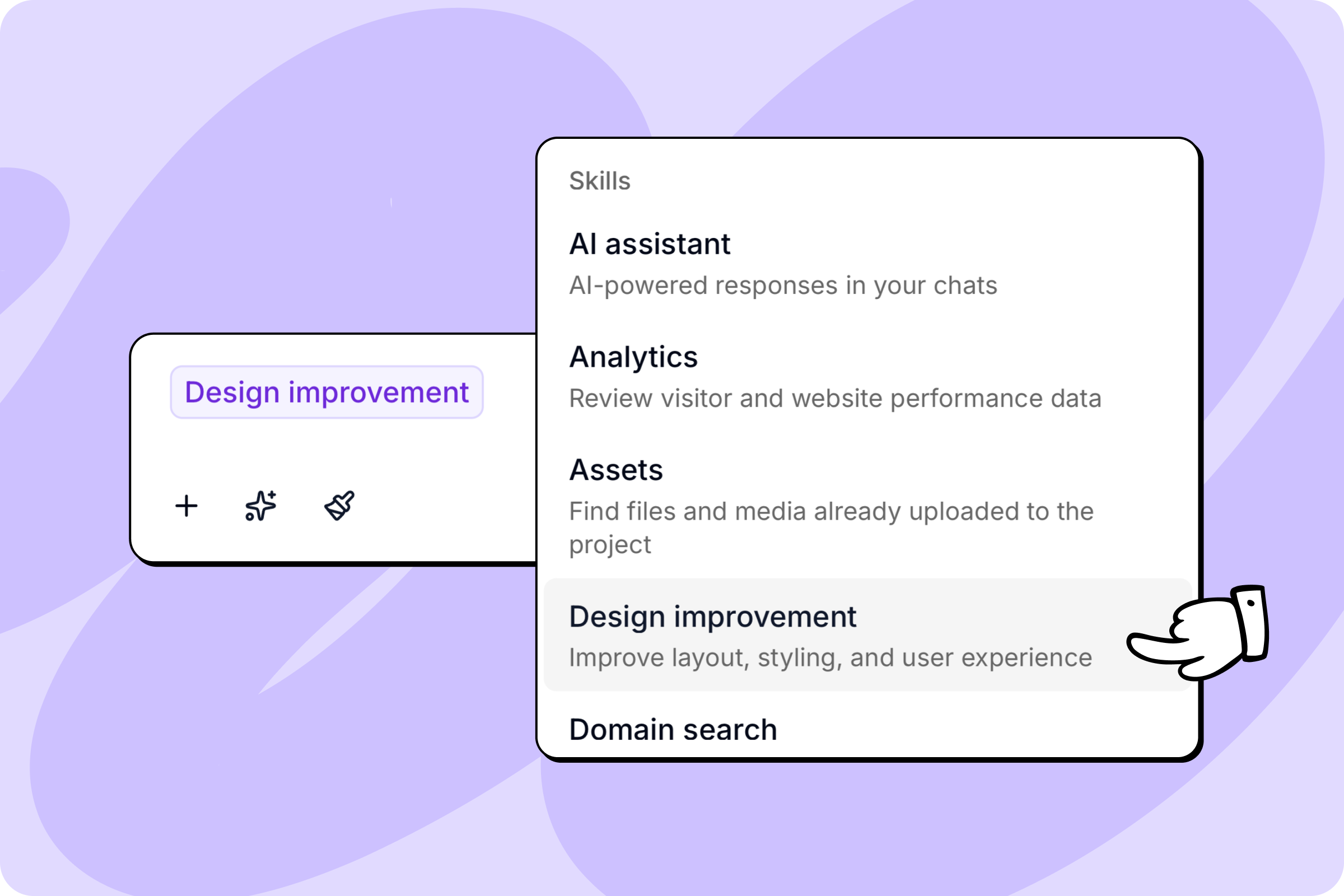
No more describing the same task to the agent over and over. You can now tap into a library of 30+ ready-made skills the agent can run for you. Just type `/` in the chat, or click the **+** button and select "Use skill."
 ### **Let the agent review your app's security**
You can now ask the agent to run a security review of your project. It checks key areas — access permissions, handling of sensitive data, API key setup — and suggests fixes on the spot.
### **A cheaper model for faster work**
Macaly Code is a new model built for speed. It uses fewer credits, so you can fit in more edits, and it's ideal for smaller changes like tweaking copy or layout. You'll find it alongside the other AI models in your account or chat settings.
## Improvements
- Undo and redo now work in the chat input. Press `Cmd + Z` to undo your last edit, `Cmd + Shift + Z` to redo it
- When the agent hits an error, you now see a clean error card instead of a wall of red text, and can report it right from there if needed
## Bug fixes
- Publishing large projects with many PDFs or images no longer fails due to a server error
- Pulling large repos from GitHub no longer times out mid-import
- Stopping the agent and immediately sending a new message no longer causes the message to be deleted
## New features
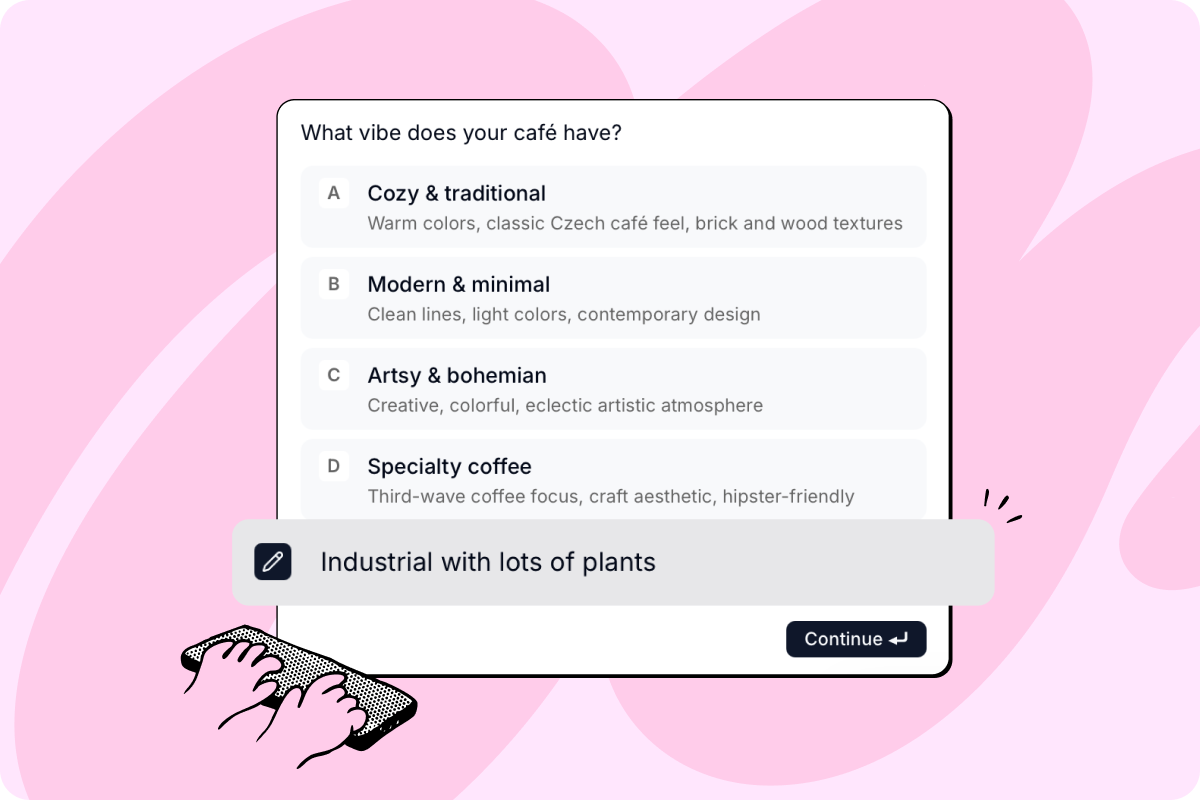
### **Type your own answers to agent questions**
When the agent asks you a question mid-build, you're no longer limited to just clicking the pre-set options. You can now type a custom answer in a free-text field to give the exact direction you want.
 ### **Clearer project duplication**
Duplicating a chat is now much more intuitive because you can immediately see what gets copied over to the new project. You can also choose whether the duplicated chat stays connected to the original database.
### **Pin your favorite tabs**
You can now pin up to five of your most-used tabs to the top menu in the chat. The rest are kept neatly organized in a simple dropdown menu.
## Improvements
- Catch up on what's new in Macaly directly from the user menu, where you'll find a new "What's new" item
- Settings no longer open in a modal and now have their own dedicated page with individual URLs for each section
- You can now view your credit usage month by month to easily track how many credits you've consumed in a given period
## Bug fixes
- Clicking refresh on a custom domain now triggers an instant live check so you don't get stuck looking at outdated errors
- Chat streams on mobile no longer freeze mid-response if your internet connection drops for a second
- Chats with lots of large files no longer get permanently stuck with a server error
## New features
### **Build with Macaly from WhatsApp**
Build, edit, and publish your Macaly projects straight from WhatsApp. Once your accounts are connected, the Macaly agent appears in your WhatsApp contacts. You can ask it for any changes to your projects without opening the web app.
You can send text, voice messages, screenshots, or PDF files via WhatsApp chat. After making the changes, the Macaly agent sends back a link with a preview.
Check out the [WhatsApp connection](/docs/en/account/connections/whatsapp) documentation to see exactly how it works.
 ## New features
### **Build apps in multiple languages**
Macaly can now add multi-language support to your apps. Tell it which languages you want and it figures out the right approach, whether that's translating the UI, your database content, or both. For websites, it also gives each language its own URL so they show up properly in search.
## Improvements
- Published apps on the home page now have the same 3-dot menu as regular chats, including rename, duplicate, and delete
## Bug fixes
- Long filenames in your media library now truncate cleanly instead of overflowing
- The chat view no longer jumps back to your previous message when an assistant reply finishes streaming
## New features
### **Add music to your apps**
Macaly can now generate music and audio directly inside your project. Describe what you want — a background track, a jingle, a specific mood — and the agent creates it, or go a step further and build an app that lets your users generate their own songs.
## Improvements
- Chat cards on the home page now have a dropdown menu with quick actions like pin, rename, duplicate, and delete
- Sending a new message while the agent wraps up its previous response no longer shows an error
## Bug fixes
- Fixed an issue where the agent's response would freeze on mobile devices, especially when switching apps or locking the screen
- Fixed interactive agent actions sometimes getting collapsed and hidden in the chat
## New features
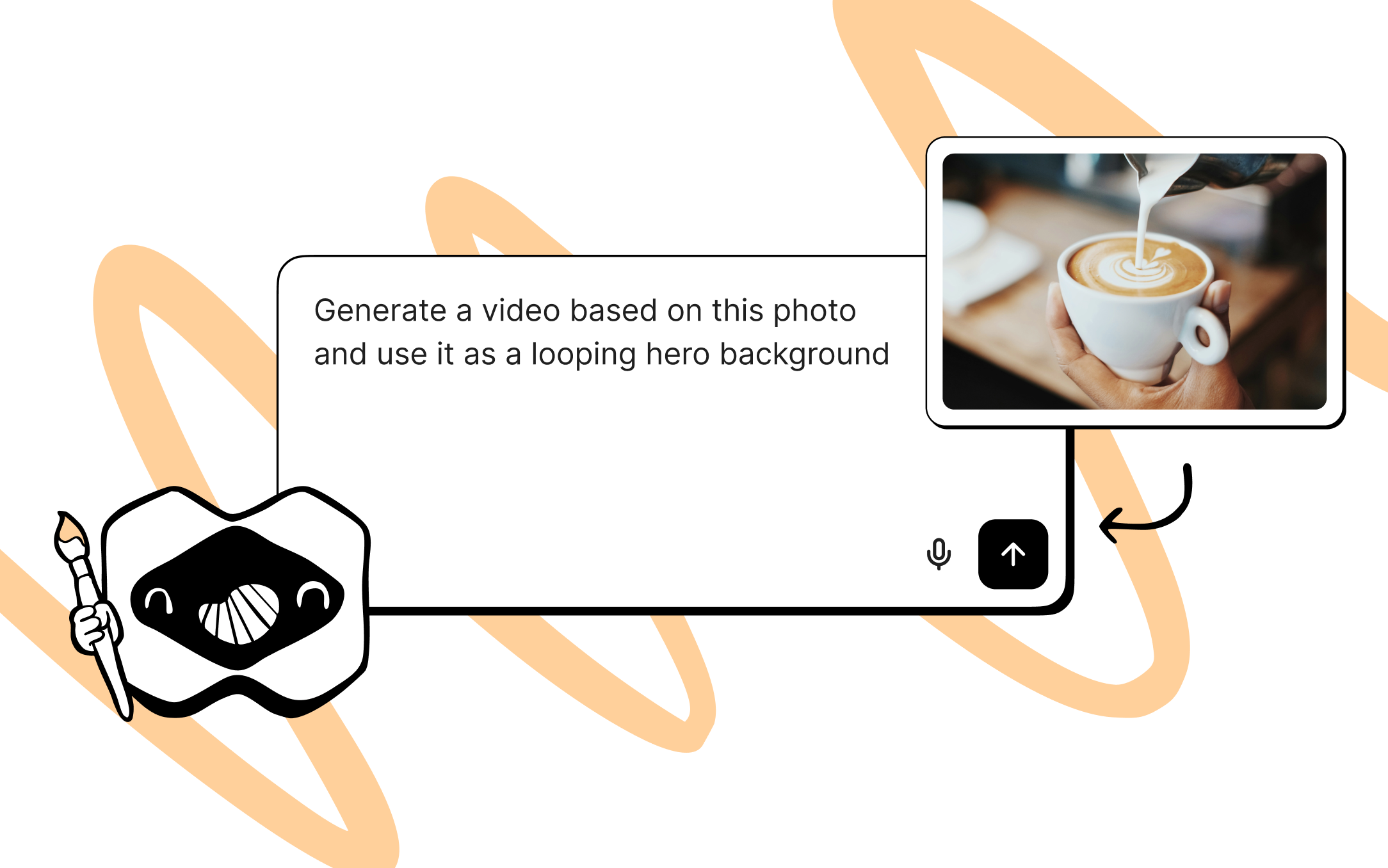
### **Generate videos from a prompt**
Macaly can now generate videos from text descriptions or reference images. Generated videos are saved directly to your files so you can use them anywhere in your project. The video generation feature can also be used by the websites and apps you build.
## Improvements
- Typing in the chat input is noticeably snappier and the agent recovers better from unexpected disconnections
- The preview pane now shows a subtle "waking up" badge instead of a full-screen loading overlay when you return to a tab
## Bug fixes
- Files uploaded on the home page before starting a new chat are now correctly saved to your assets
- Deleting an image from your assets no longer leaves broken image references in your chat history
- DNS setup instructions for custom domains now show the correct step numbers and clearer record names
- Apps that use the microphone now work correctly directly inside the preview pane
## New features
### **Ask Macaly about your site's traffic**
Macaly can now read your website analytics. Ask things like "how many visitors did I get this week?" or "what are my top pages?" and the agent will pull the numbers and explain what they mean.
### **Rename your Macaly subdomain by asking**
You can now tell Macaly to give your project a better URL. Just say something like "rename my subdomain to something nicer" and the agent will suggest and apply a new one. It knows where your site is published and updates it directly from the chat.
### **Give your apps a voice**
Macaly can now generate spoken audio from text. Describe what you want narrated and pick a voice style, and the agent produces an audio file. Use it to add a 'listen to this article' player to your blog, build audio flashcards, or create interactive voice onboarding flows.
## Improvements
- The live preview now automatically recovers when the development server crashes or restarts during a build
- The SEO setup flow now gives unconfigured projects a clear starting point and automatically generates a favicon and social image during setup
- The chat mode switcher shows the active mode and a short description
## Bug fixes
- AI-generated images now get descriptive, unique filenames based on your prompt instead of all sharing the same generic name
- Older published projects now display the correct live URL in deployment settings instead of occasionally showing the wrong subdomain
## New features
### **Track your usage and credits**
The Usage & Limits panel now shows a clear breakdown of how your credits are being spent by skill and by project. A progress bar tracks your monthly total so you always know where you stand. This makes it easier to manage your budget as you scale your tools.

### **Add voice and audio to your apps**
Macaly can now add a transcription step to the tools you build. Use it to create a meeting note taker, a voice-to-text dashboard, or a tool that turns voice memos into blog posts. Just describe how you want to handle audio and the agent will set it up to process files or public links.
### **Better images with Nano Banana 2**
The agent now uses the Nano Banana 2 model to generate and edit images in your projects. When you update an existing image, Macaly automatically detects the right aspect ratio so the new version fits perfectly into your design.
## Improvements
- The error panel now surfaces only what's actually worth fixing
- Favicon uploads now support more file formats (e.g. JPG, PNG)
## Bug fixes
- Long conversations with lots of screenshots are now more stable
- Custom logos now stay the correct size across your app instead of occasionally displaying too large
- The welcome screen is no longer blocked by a stray error message when you start a new chat
## New features
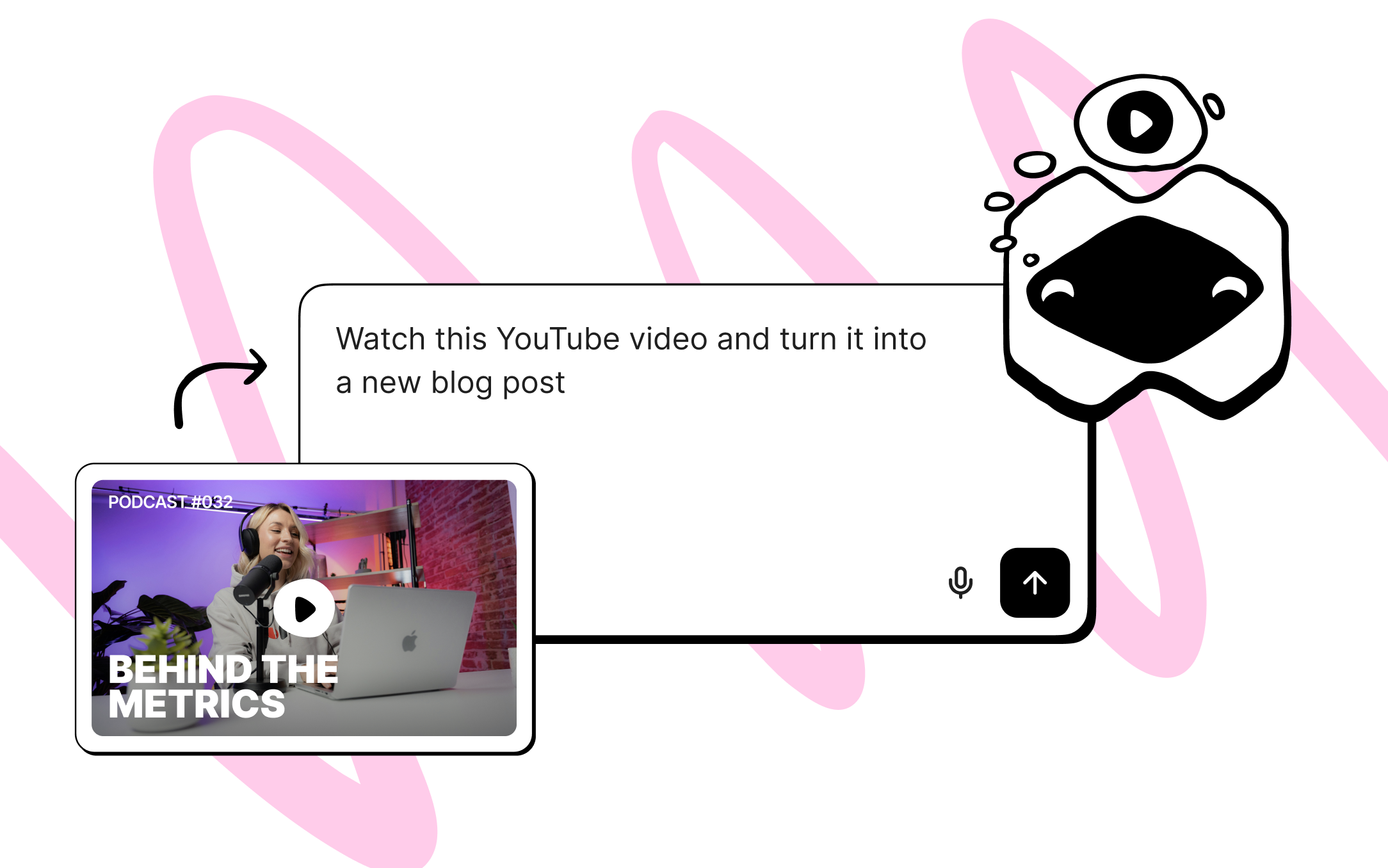
### **Turn any YouTube video into content**
Paste a YouTube link and Macaly will watch it for you. Use what it learned to build a page, write a blog post, structure a FAQ, or anything else based on what's in the video - without rewriting everything from scratch.
### **Add AI to your own app**
Macaly can now make your app smart. Ask it to add a chatbot, automate responses, or generate content. Just describe how you want to use AI in your project and the agent handles the rest.
## Improvements
- We simplified the workspace, and settings for API keys, domains, and usage are now all in one place
- A new Send Feedback button lets you report bugs or share ideas directly from the app
- GitHub is now accessible via the **+** button in chat
## New features
### **Message queues**
You can now send messages while the agent is still working. Messages are added to a queue and the agent picks them up automatically once it finishes the current task. Just type and send as you normally would — no need to wait.
### **Sonnet 4.6**
A new, more affordable model is now available. You can switch between Sonnet 4.6 and Opus in your settings, depending on whether you prefer lower cost or maximum capability.
### **Keyboard shortcuts**
- New `Cmd + .` shortcut to switch between build and plan mode
- New `Cmd + Shift + Space` shortcut for voice input
- Fixed the voice shortcut — it can now also be used to stop recording
## New agent capabilities
### **Opus 4.6**
The agent now runs on Claude Opus 4.6, the latest model from Anthropic. It better understands what you want, makes fewer mistakes, and produces better results.

### **Long-running tasks**
The agent can now work on bigger tasks for up to 1 hour without stopping or timing out. You can describe the full scope of what you need and let it handle everything at once.
### **Agent memory**
The agent now remembers your preferences across conversations. Tell it once what colors, layout, or fonts you prefer, and it applies them automatically in future chats.
### **Agent understands your project**
You can ask the agent how any part of your project works. Ask about login, checkout flow, or navigation and it explains it in simple, clear language.
### **In-product navigation**
Not sure where to find something? The agent can guide you directly inside the product. Ask it where to add your domain.
### **Connected to documentation**
The agent is now connected to the Macaly documentation. If you're not sure how something works, just ask and it finds the answer directly from the docs.
## New agent capabilities
### **Better design output**
The agent now produces cleaner, more polished interfaces with better spacing, layout, and overall visual quality. You can also ask it to improve an existing design and it refines it step by step.

### **Icons and images**
The agent can now find icons in SVG or PNG and place them directly in your project. You describe what you need and it handles the rest.
### **Improved CSV handling**
Working with CSV files is now more reliable. The agent reads the data better and displays it in your app as tables, lists, or dashboards.
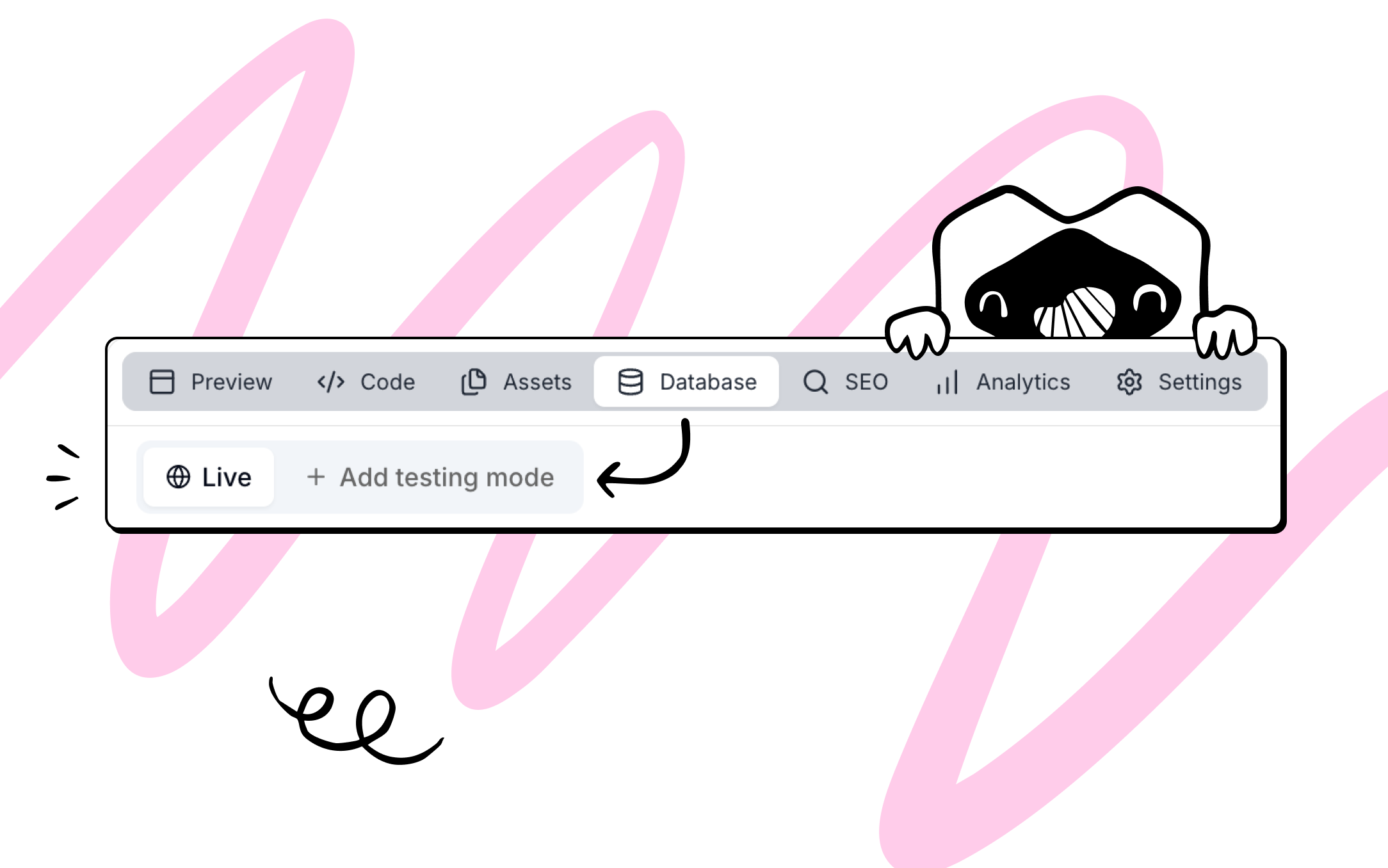
### **Separate testing database**
Production and testing data can now be separated. You can create a **testing database** to make changes without touching live data. The testing database starts as a copy of production data, so you can safely try changes, adjust features, or test data updates. **All edits apply only to the database you currently have selected.**
### **Improved GitHub pull behavior**
Pulling changes from GitHub now updates the **current chat**, instead of creating a new one. All files will be replaced with the version from GitHub, while environment (.env) files remain unchanged.
You can also **disconnect GitHub from a chat** using the new disconnect option, without needing to contact support.
### **Smarter model selection**
Macaly now uses more capable models by default, primarily Opus 4.5, with GPT-5.2 as a fallback for tasks Opus can’t handle. This improves results on more complex or edge-case requests.
## Improvements
- Deployments now show the correct status when your app is already live
- Better stability for projects using 3D and interactive components
- Fixed extra blank lines appearing when editing user messages
## Bug fixes
- Fixed cases where the chat could freeze or repeat errors
- Improved typing and visibility in the chat input on smaller screens
- Fixed cases where sidebar search results could persist unexpectedly after closing and reopening the sidebar
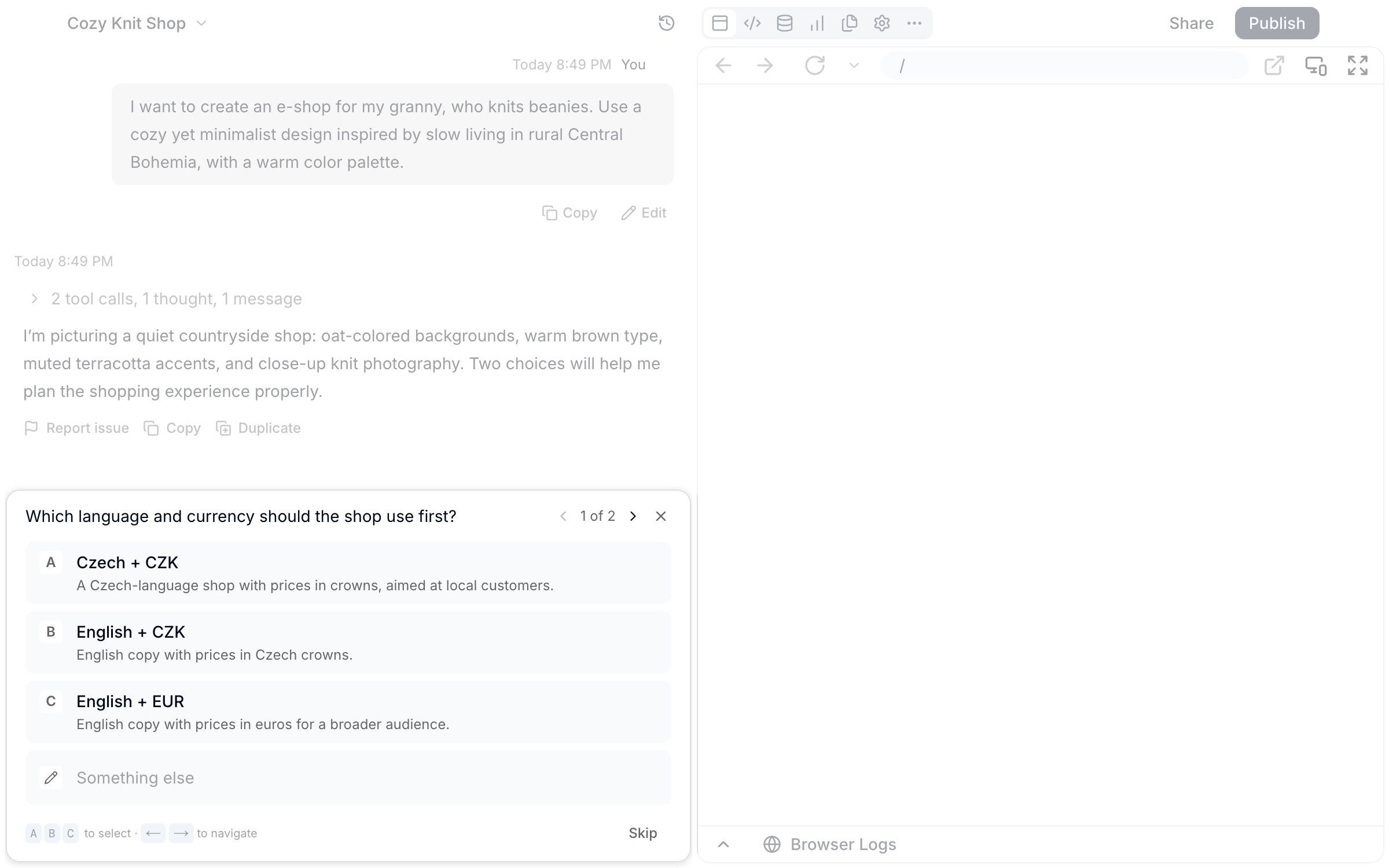
### **Human-in-the-loop confirmations**
Before the agent completes a response, it can now pause to confirm intent or ask follow-up questions when context is missing. This helps avoid incorrect or overly broad changes and gives you more control over larger actions.
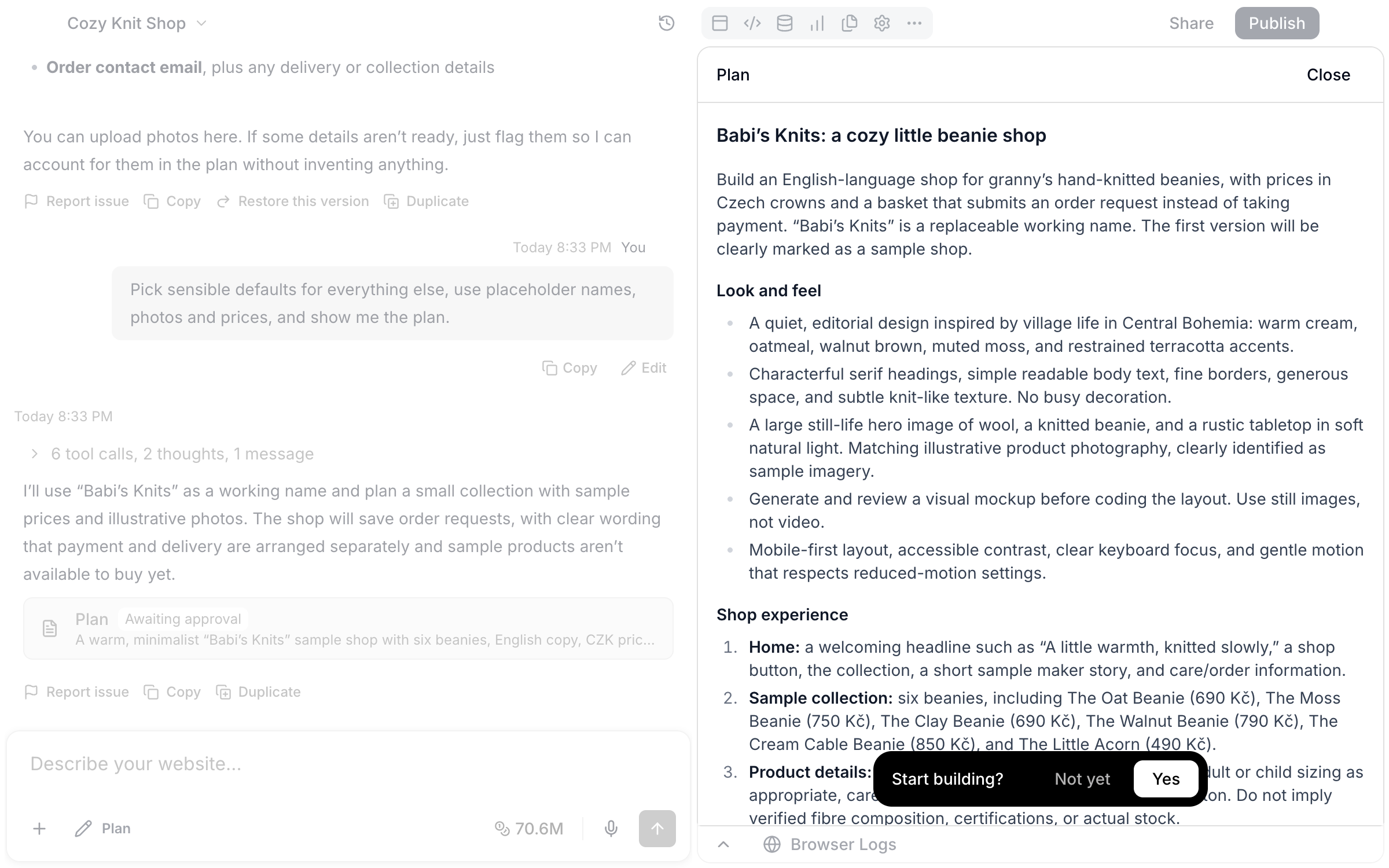
### **Planning mode**
Macaly can now plan its work before executing it. The agent automatically decides when planning is needed, and you can also turn it on manually in the input box to review the approach first.
### **Duplicating a chat now creates an isolated copy**
When you duplicate a chat, Macaly now creates a fully separate copy with its own data. You can experiment freely without worrying about changes affecting the original project.
## Improvements
- Sidebar refactor with lazy loading and server-side search for faster navigation
- Chat sidebar dropdown updated with quick access to documentation, settings, and logout
## Bug fixes
- Fixed an issue where the chat got stuck and repeatedly looped error states
- Fixed an issue where the screenshot tool sometimes failed to capture external websites
- Improved ChatInput responsiveness on devices with small screen heights and larger text
**Media Assets (upload & reuse)**
You can now upload and manage any type of media directly in Macaly. Uploaded assets are stored in a shared library, and the agent can reference and reuse them while building or editing your project.
**More reliable background AI actions**
The Macaly agent now runs more reliably in the background and can handle longer, more complex tasks without stopping unexpectedly. This means you can let the agent work for longer periods of time and trust it to finish multi-step actions without needing to restart or break them into smaller pieces.
**Improved Assets UX**
Working with uploaded assets is now faster and clearer, with improved browsing and handling inside the editor.
**Diff Mode: undo for blocks**
Diff Mode now supports undoing block-level changes, making it easier to review and safely revert edits made by the AI.
**Security updates (Next.js)**
We rolled out a large security upgrade for projects using older Next.js versions. Macaly now detects vulnerable versions, guides users to fix them, and auto-upgrades projects where possible.
**Edit Mode updates**
Edit Mode received several improvements:
- Theme presets
- Font change support
- Better overall design consistency
This makes visual iteration faster without leaving the preview.
**Diff editor**
A new Diff editor lets you clearly see and compare changes made to your project, helping you understand what changed and why.
**macaly.app domain support**
Projects can now be published under the macaly.app domain, improving reliability and flexibility for hosted apps.
**More reliable chat + edit flow**
Changes made via chat and Edit Mode now apply more consistently, reducing broken or partial updates.
**Responsiveness improvements**
We fixed multiple responsive layout issues, including banners, notifications, and result feedback across devices.
**Global Styles (first version)**
You can now define global styles for your project. The first release focuses on colors using Tailwind themes, laying the foundation for consistent design across pages.
**AI-powered editing inside Edit Mode**
You can now use AI directly inside Edit Mode to:
- Rewrite text
- Replace images
- Remove elements
This makes iteration faster without jumping back to chat.
**Edit Mode usability improvements**
- Select parent element
- Remove elements directly in preview
- Clear edit mode behavior
- Better visibility without background tint
**Model preference selection**
Users can now choose whether they prefer a faster or smarter model, with Auto remaining the default.
**New Image Edit capabilities**
You can now replace images, resize them, and adjust opacity directly inside Edit Mode.
**Background removal for images**
The agent can remove backgrounds from AI-generated images as well as uploaded or external images (for example from Pexels).
**SEO improvements**
- Global OG image and favicon support
- Per-page OG image overrides
This gives you more control over search and social previews.
**Email & password authentication**
In addition to OTP, Macaly now supports email and password login where needed.
**Domain handling improvements**
- Set up domains before publishing
- Fixed multiple publishing and domain-related issues
**Credit visibility & daily credits**
- Usage is now visible directly in chat messages
**Publishing feedback in chat**
After publishing, Macaly now confirms deployment directly inside the chat.
This page is part of the [Macaly documentation](https://wl.macaly.com/docs/en/welcome/overview).