In the Chat settings, you can define who can access your project. The chat history — including all messages, decisions, and the development process — is never shared publicly. You can manage sharing in two ways:
  • From the top bar: Click Share next to Publish to quickly switch visibility or copy a shareable link.
  • From Chat settings: Go to Settings → General → Sharing to change who can access the project.
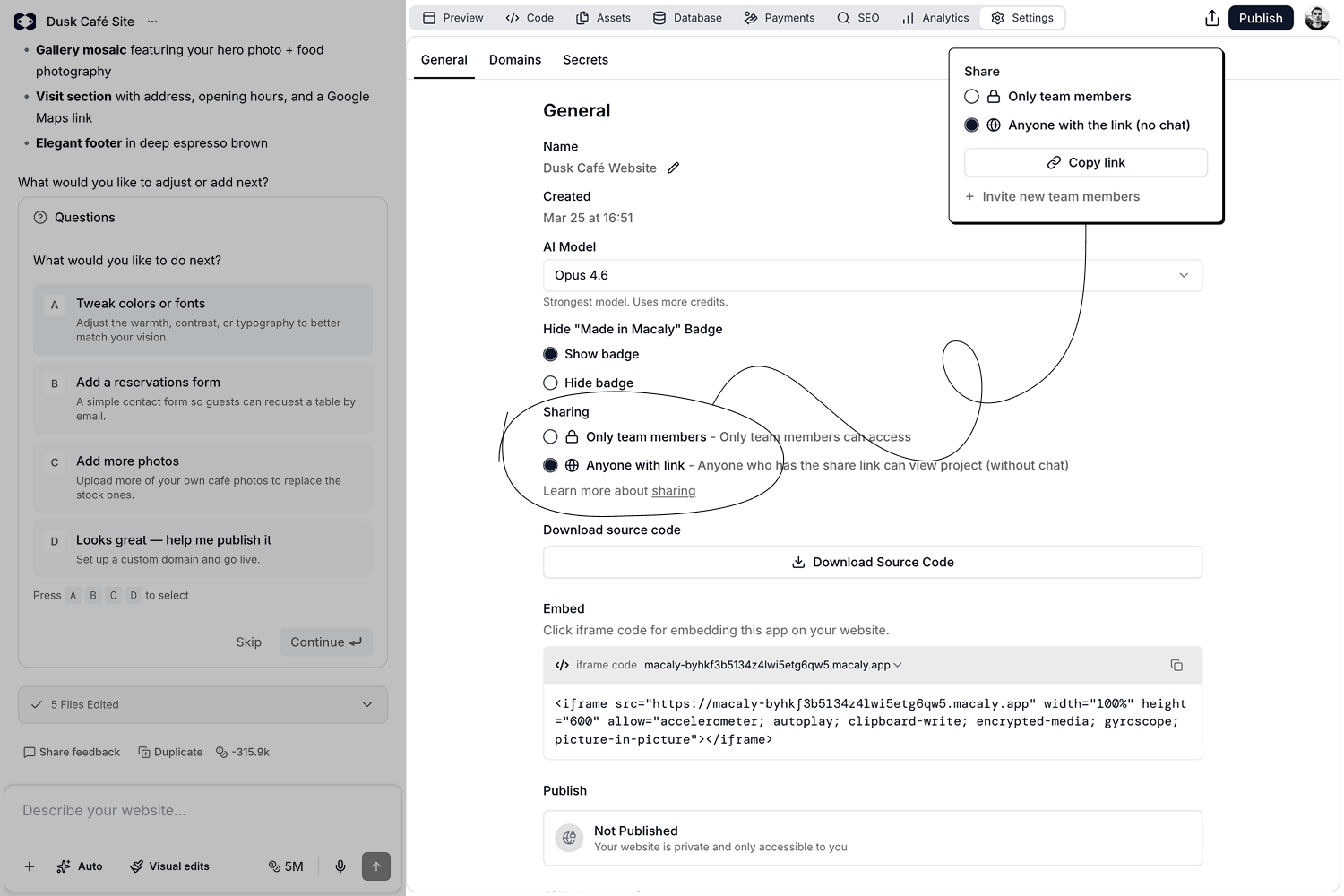
Chatoverview9 Both options control the same settings and stay in sync. Sharing options:
  • Private: Only you can access the project.
  • Anyone with the link: Anyone who has the share link can view the project. The chat history is not included.

Sharing previews

A directly copied preview URL is not the same as a public share link. Private previews can require an authorized platform session, so another person may see an unauthorized or blank page when opening one. To share a preview publicly, set the project to Anyone with the link and send the generated shared link. The conversation history remains private.